When it comes to maintaining the optimal performance of your devices, ensuring the compatibility of cooling parts is crucial. As a trusted cooling parts supplier, I understand the challenges and importance of this process. In this blog, I'll share some practical tips on how to test the compatibility of cooling parts with your device.
Understanding Your Device's Requirements
Before you start testing cooling parts, you need to have a clear understanding of your device's requirements. This involves several key aspects.
Power Consumption
The power consumption of your device is a fundamental factor. High - power devices generate more heat and thus require more efficient cooling solutions. You can usually find the power consumption information in the device's user manual or on the manufacturer's website. For example, a high - end gaming PC may consume several hundred watts, while a standard office laptop might consume only 30 - 60 watts. A cooling part should be able to handle the heat output corresponding to the device's power consumption. If the cooling part is under - powered, it won't be able to keep the device at a safe temperature, which can lead to overheating and reduced performance.
Physical Dimensions
The physical dimensions of your device play a significant role in determining the compatibility of cooling parts. Cooling parts such as heat sinks, fans, and radiators need to fit properly within the device's chassis. Measure the available space for the cooling component carefully. Consider not only the length, width, and height but also the clearance around other components. For instance, if you're looking to install a new CPU cooler in your computer, you need to make sure that it doesn't interfere with the RAM modules or other nearby components.
Thermal Design Power (TDP)
TDP is an important metric that indicates the maximum amount of heat a device is designed to dissipate under normal operating conditions. It's usually specified by the device's manufacturer. When selecting a cooling part, its cooling capacity should be equal to or greater than the device's TDP. For example, if your CPU has a TDP of 95 watts, you should choose a cooler that can handle at least 95 watts of heat dissipation.
Testing Cooling Part Compatibility
Once you have a good understanding of your device's requirements, you can start testing the compatibility of cooling parts.
Physical Fit Test
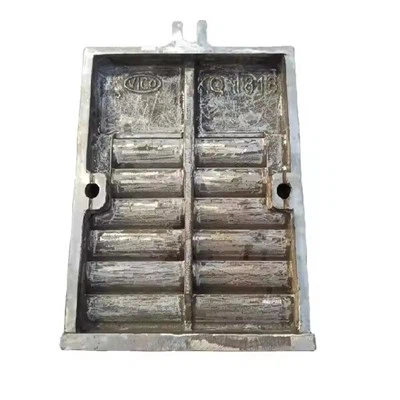
The first step is to perform a physical fit test. This involves placing the cooling part in the intended location within the device. Check if it fits snugly and doesn't block any other essential components. For example, if you're testing a Cooler Grate Plates for an industrial cooler, make sure it aligns properly with the existing mounting points and doesn't obstruct the airflow paths. If there are any issues with the fit, such as the part being too large or too small, it may not be compatible.
Electrical Compatibility
Electrical compatibility is another critical aspect. Cooling parts such as fans and pumps require a power supply. Check the voltage and current requirements of the cooling part and compare them with the power output of your device. Most computer fans, for example, operate at 12 volts, but some high - performance fans may require a higher voltage. If the electrical specifications don't match, it can lead to improper operation or even damage to the cooling part or the device.


Airflow and Heat Dissipation Testing
After ensuring the physical and electrical compatibility, it's time to test the airflow and heat dissipation capabilities of the cooling part. You can use thermal imaging cameras or temperature sensors to monitor the temperature of the device before and after installing the cooling part. Place the device under a normal load or a stress test to simulate real - world usage. If the temperature of the device decreases significantly after installing the cooling part, it indicates that the part is working effectively. However, if the temperature remains high or increases, there may be an issue with the cooling part's compatibility or performance.
Compatibility with Different Types of Devices
The process of testing cooling part compatibility can vary depending on the type of device.
Computers
In the case of computers, there are several types of cooling parts, including CPU coolers, GPU coolers, and case fans. When testing CPU cooler compatibility, you need to consider the socket type of the CPU. Different CPUs have different socket designs, and the cooler must be compatible with the specific socket. For GPU coolers, check the size and mounting mechanism. Some high - end GPUs may require custom - designed coolers. Case fans need to be compatible with the case's fan mounts and the overall airflow design of the case.
Industrial Equipment
Industrial equipment often has unique cooling requirements. For example, large - scale manufacturing machines may use Reclaimer Chain cooling systems. When testing the compatibility of these parts, you need to consider the equipment's operating environment, such as temperature, humidity, and dust levels. The cooling part should be able to withstand these conditions and provide reliable cooling performance.
Mobile Devices
Mobile devices like smartphones and tablets have limited space for cooling parts. Testing the compatibility of cooling solutions in these devices is more challenging. You need to ensure that the cooling part doesn't add too much bulk or weight to the device. Additionally, it should be able to work efficiently with the device's power management system to avoid draining the battery quickly.
The Importance of Compatibility Testing
Testing the compatibility of cooling parts is not just about ensuring proper fit and function. It also has several other benefits.
Performance Optimization
A compatible cooling part can significantly improve the performance of your device. By keeping the device at an optimal temperature, it can prevent overheating - related throttling, which can lead to slower processing speeds and reduced performance. For example, a well - matched CPU cooler can allow your computer to run at its full potential, whether you're gaming, editing videos, or performing other resource - intensive tasks.
Device Longevity
Overheating can cause significant damage to electronic components over time. By using a compatible cooling part, you can extend the lifespan of your device. Components such as CPUs, GPUs, and hard drives are more likely to fail prematurely if they are exposed to high temperatures for extended periods. A reliable cooling solution can help prevent this by maintaining a stable temperature.
Energy Efficiency
A compatible cooling part can also contribute to energy efficiency. When a device is cooled effectively, it doesn't have to work as hard to maintain its performance. This can result in lower power consumption, which is not only beneficial for the environment but also for your electricity bill.
Conclusion
Testing the compatibility of cooling parts with your device is a crucial process that requires careful consideration of various factors. As a cooling parts supplier, I'm committed to providing high - quality products and helping our customers find the right cooling solutions for their devices. If you're looking for reliable cooling parts or need assistance with compatibility testing, we're here to help. Contact us to start a procurement discussion and ensure that your device gets the optimal cooling it deserves.
References
- Manufacturer's device user manuals
- Technical specifications from cooling part manufacturers
- Industry research on thermal management and cooling solutions