Hey there, fellow PC enthusiasts! If you're like me, you know that keeping your PC cool is crucial for its performance and longevity. As a cooling parts supplier, I've seen firsthand how the right cooling components can make a world of difference. In this blog, I'm gonna walk you through the process of choosing the perfect cooling parts for your PC.
Understanding Your PC's Cooling Needs
First things first, you gotta understand what your PC needs in terms of cooling. Different PCs have different requirements based on their hardware and usage. For example, if you're into gaming or running resource - intensive applications, your PC is gonna generate a lot more heat compared to someone who just uses their PC for basic tasks like web browsing and word processing.
The main components that generate heat in a PC are the CPU (Central Processing Unit) and the GPU (Graphics Processing Unit). The CPU is like the brain of your PC, and the GPU is responsible for handling all the graphics. When these components work hard, they get hot, and if they're not cooled properly, it can lead to overheating, which can cause performance issues and even damage your hardware.
Types of Cooling Parts
There are several types of cooling parts available in the market, and each has its own pros and cons.
Air Coolers
Air coolers are the most common type of cooling solution for PCs. They're relatively inexpensive, easy to install, and they do a pretty good job of keeping your PC cool. An air cooler consists of a heatsink and a fan. The heatsink absorbs the heat from the CPU or GPU, and the fan blows the heat away.
One of the advantages of air coolers is that they're quiet. You won't hear a loud noise coming from your PC when you're using an air cooler. However, they may not be as effective as other cooling solutions when it comes to high - end PCs that generate a lot of heat.
Liquid Coolers
Liquid coolers, also known as water coolers, are more advanced cooling solutions. They use a liquid (usually water) to transfer heat away from the CPU or GPU. Liquid coolers are more efficient than air coolers, especially for high - performance PCs.
A liquid cooler consists of a radiator, a pump, and water blocks. The water blocks are attached to the CPU or GPU, and they absorb the heat. The pump circulates the liquid through the water blocks and the radiator, where the heat is dissipated.
Liquid coolers can be more expensive than air coolers, and they're a bit more complicated to install. But if you have a high - end PC and you want the best cooling performance, a liquid cooler is definitely worth considering.
Cooling Fans
Cooling fans are an essential part of any PC cooling system. They can be used in combination with air coolers or liquid coolers to improve the overall cooling efficiency. You can install cooling fans in different parts of your PC case, such as the front, back, or side.


When choosing cooling fans, you need to consider factors like size, speed, and noise level. Larger fans generally move more air at a lower speed, which means they're quieter. On the other hand, smaller fans may need to spin faster to move the same amount of air, which can result in more noise.
Factors to Consider When Choosing Cooling Parts
Now that you know the different types of cooling parts, let's talk about the factors you need to consider when choosing the right ones for your PC.
Compatibility
This is one of the most important factors. You need to make sure that the cooling parts you choose are compatible with your PC's hardware. For example, if you're buying a CPU cooler, you need to make sure it's compatible with your CPU socket type. Similarly, if you're buying a liquid cooler, you need to make sure it fits in your PC case.
Cooling Performance
The main goal of choosing cooling parts is to keep your PC cool. So, you need to consider the cooling performance of the parts. Look for parts that have high heat dissipation capabilities. You can check the specifications of the cooling parts to see how much heat they can handle.
Noise Level
No one wants a noisy PC. So, when choosing cooling parts, pay attention to the noise level. Air coolers are generally quieter than liquid coolers, but there are also quiet liquid coolers available in the market. Look for parts that have a low noise rating.
Budget
Your budget is also an important factor. Cooling parts can range from inexpensive to very expensive. You need to decide how much you're willing to spend on cooling parts. If you have a limited budget, you may want to go for air coolers and basic cooling fans. If you have more money to spend, you can invest in high - end liquid coolers.
Recommended Cooling Parts
As a cooling parts supplier, I have some recommendations for you.
If you're on a budget and you have a mid - range PC, I recommend Reclaimer Chain. It's an affordable air cooler that offers good cooling performance and is easy to install.
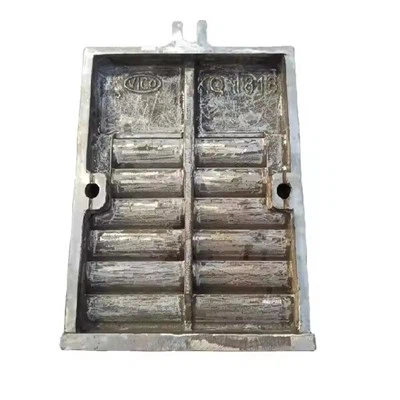
For high - end PCs, Cooler Grate Plates are a great option. They're part of a liquid cooling system that can handle a large amount of heat and keep your PC running cool even under heavy loads.
Conclusion
Choosing the right cooling parts for your PC is not rocket science, but it does require some knowledge and consideration. By understanding your PC's cooling needs, knowing the different types of cooling parts, and considering factors like compatibility, cooling performance, noise level, and budget, you can make an informed decision.
If you're still not sure which cooling parts are right for your PC, don't hesitate to reach out. As a cooling parts supplier, I'm here to help you find the perfect cooling solution for your PC. Whether you're a casual user or a hardcore gamer, I can provide you with the best cooling parts that fit your needs and budget. So, let's get your PC running cool and smooth!
References
- PC Hardware Guides: Various online resources that provide in - depth information about PC cooling systems and components.
- Manufacturer Specifications: The official specifications of cooling parts provided by their manufacturers.